


Ads that make themselves better
Your Marketer designs ads, launches them on Facebook and Instagram, reads the results and keeps what works, all within your budget. Here’s how it works.
Start your company
- Read what shipped in the product this week
- Looked at the running ads and their results
- Read what customers ask about most
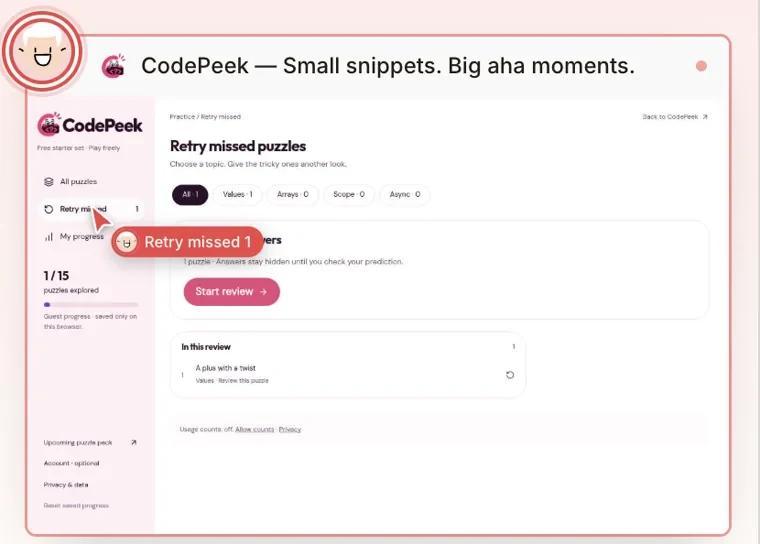
The running ad still has no impressions, and the product just got saved progress across devices and practice for the topics you missed.
This run I’ll make 3 fresh ads around that, keep the 15 free puzzles as the invitation, and stay inside the US$10 a day budget.
Marketer · In progress · 0/4Your Marketer decides what to advertise
Twice a week it wakes up by itself, looks at what’s new in your product, how the running ads are doing and what customers care about, then picks what to promote next.
You never have to brief it. Want something pushed harder? Tell your CEO and it’s in the next run.
 MarketerWorking · on this task
- Check the product and what the ad can promiseNow
- Design the ads and look at them on a phone
- Send the campaign for your approval
- Report back with what it made
It designs the ads like a creative team
It studies your customers and what already runs, then makes the picture and the words, in your brand’s colours and fonts.
It uses real screenshots of your product, never made-up ones, and checks how each ad looks on a phone.
The ads go live on Facebook and Instagram
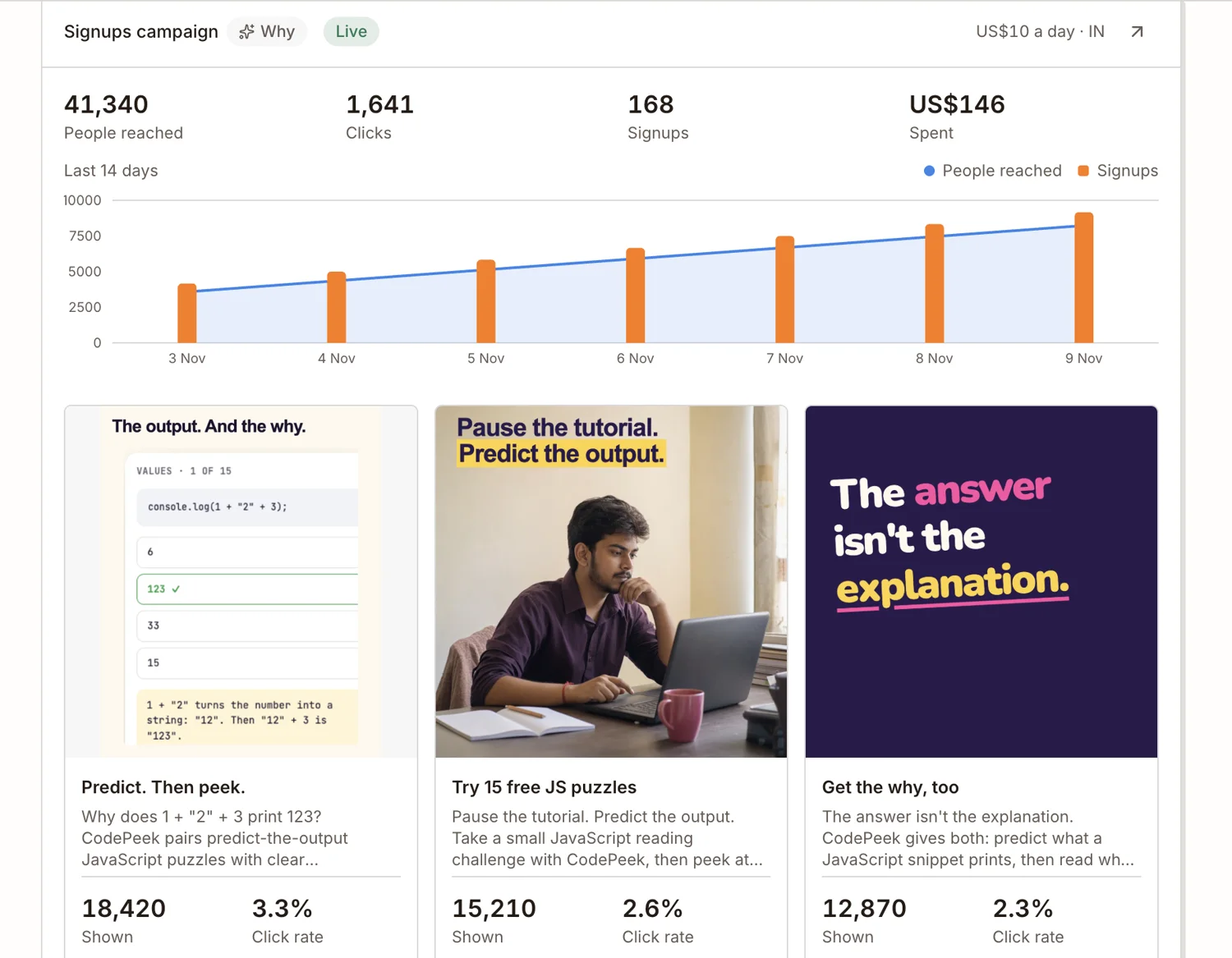
Your Marketer picks who sees them, by place, age and interests, and runs a few ads side by side to find the one people click.
Every ad shows how many people saw it and how many clicked.


It cuts what doesn’t work and grows what does
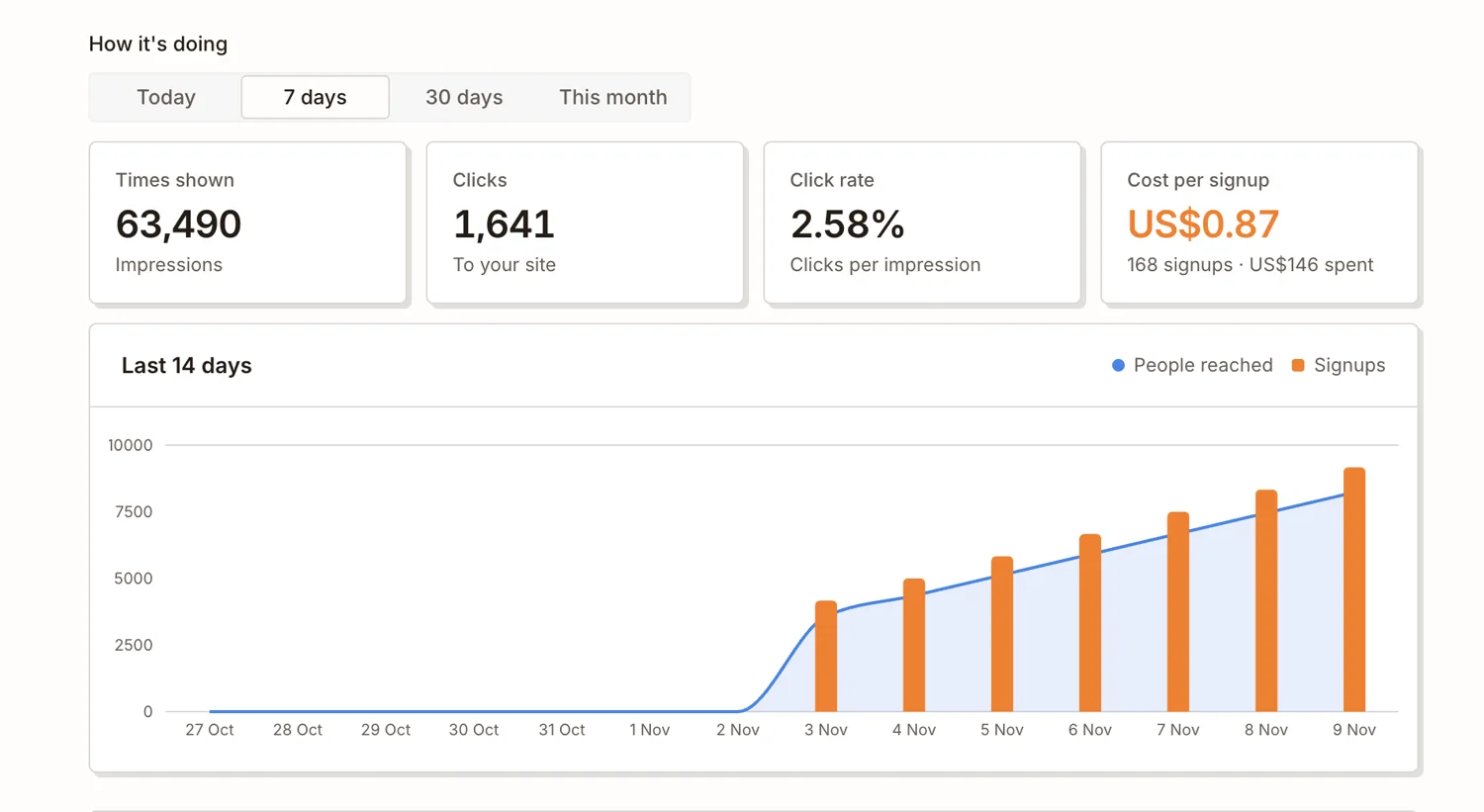
Your Marketer reads the results: who saw each ad, who clicked, what each signup cost.
It turns off ads that cost too much, puts more behind the winners, and tells you plainly when ads aren’t paying off.
Always within your budget
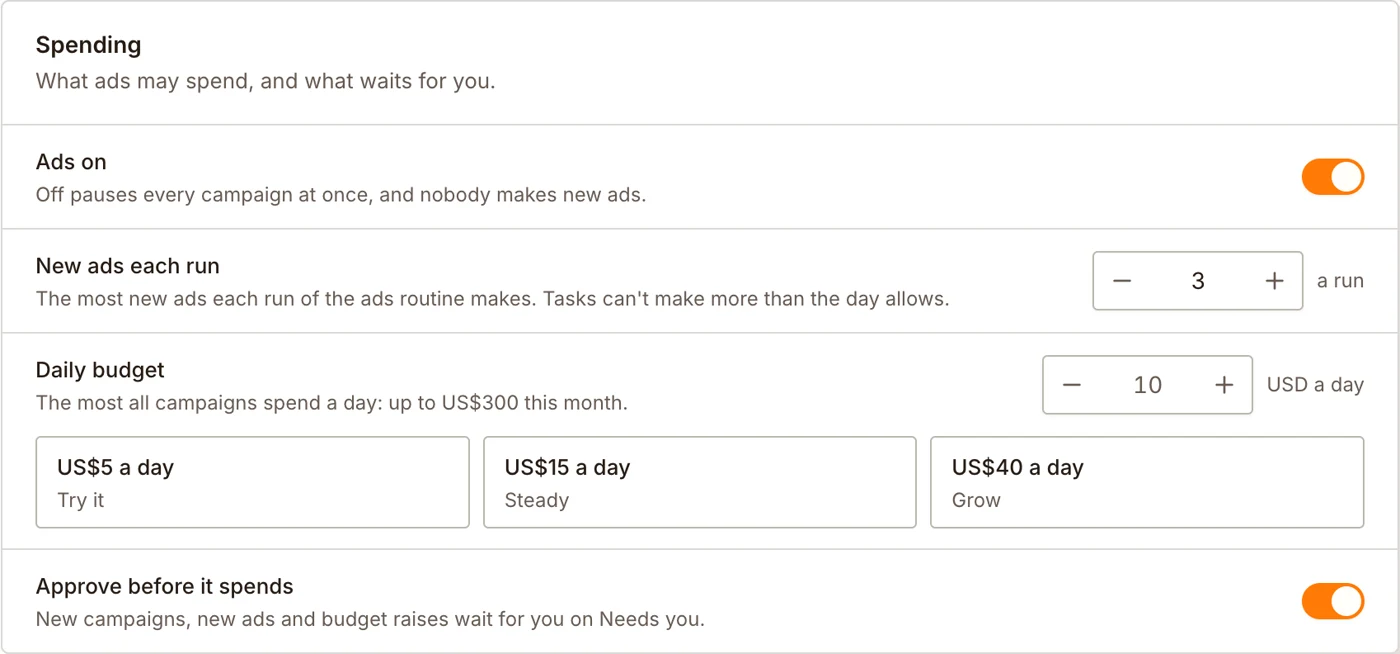
Choose how much your ads may spend a day, and how many new ads to make. They never spend more than that.
Want a say first? Turn on approval, and every new campaign, new ad or bigger budget waits for your yes.
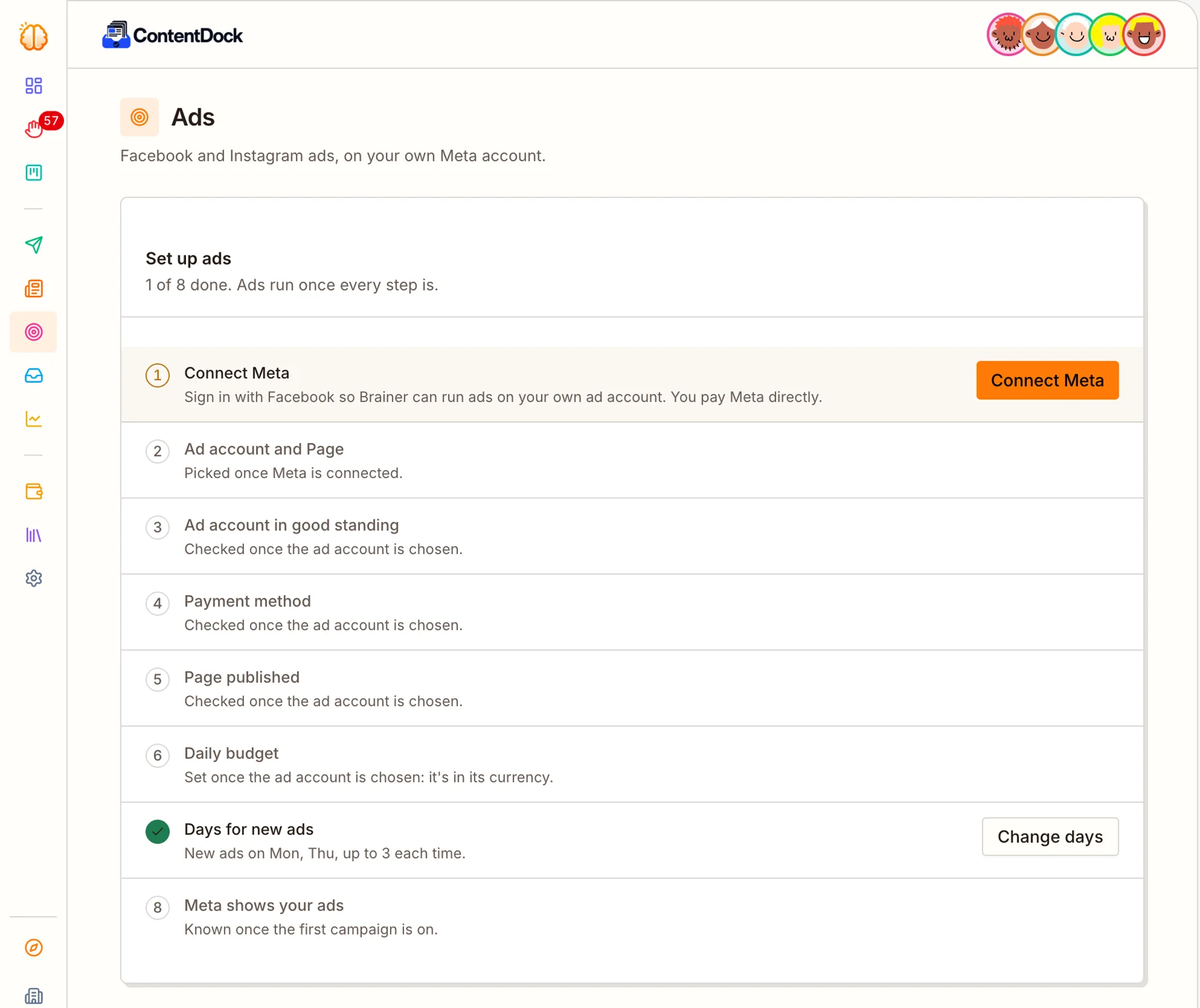
All it needs: your Facebook ad account
Sign in with Facebook and pick your ad account and Page. Your ads run on your own account, and you pay Meta directly.
A short checklist shows what’s left before your first ad can run.
Everything your Marketer does with your ads
Pictures and words in your colours and fonts, checked at phone size.
Screenshots of your actual product, never made-up screens.
Places, ages and interests chosen for each campaign.
Turns off ads that cost too much and puts more behind the winners.
Ads run on your own Meta account and never spend past your daily budget.

New campaigns, ads and bigger budgets can wait for your yes.
Questions
Does Brainer take a cut of my ad spend?
No. Ads run on your own Meta ad account and you pay Meta directly.
Can it spend more than I set?
No. It never goes past the daily budget you choose.
What kind of ads does it make?
Picture ads for Facebook and Instagram, with the words laid out in your brand.
Can I steer how the ads look and who sees them?
Yes. Pick the styles it may use, add notes, words it should never say and ads you like. Leave the audience on Auto, or set your own places, ages and interests.